Google's Agent Development Kit (ADK) is revolutionizing how we build AI agents. Unlike traditional frameworks, ADK treats agent development like software development, making it easier to create, deploy, and orchestrate complex AI workflows.
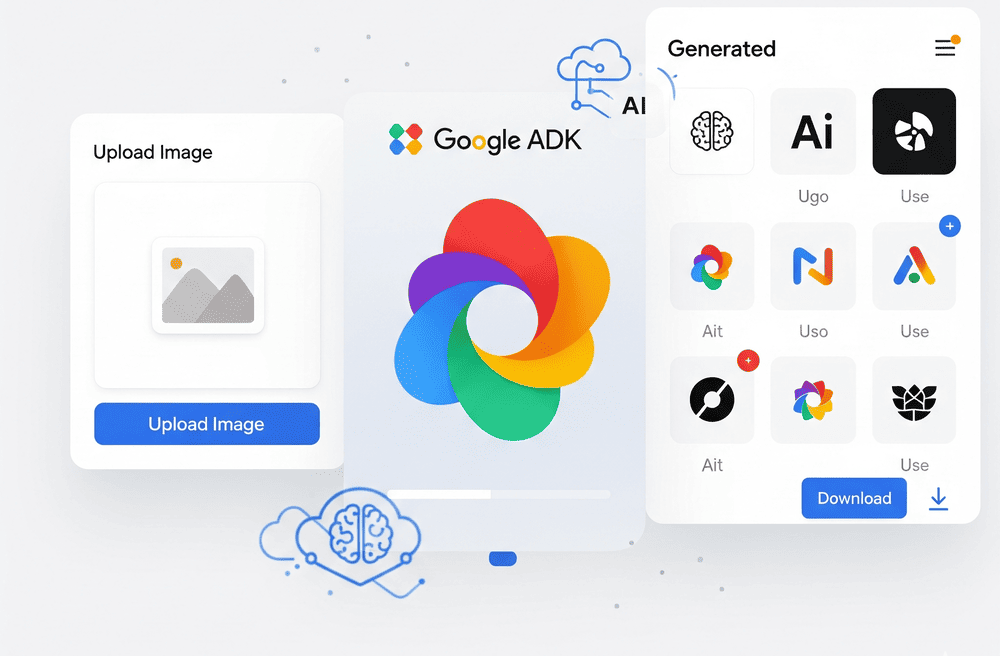
In this tutorial, we'll build a professional logo generator that demonstrates two critical capabilities: image upload handling and AI-powered image generation. We'll explore how ADK's artifact system, tool framework, and session management work together to create a seamless user experience. All the code for this tutorial can be found on my Github repo.
📌 Key Takeaway: ADK's modular architecture makes it perfect for applications requiring both input processing and generative AI capabilities.
Tutorial Overview: The Complete Image Workflow
Before diving into the code, let's understand the complete flow of how our logo generator handles images from upload to generation.
Image Upload Flow
1. Frontend to Backend Transfer
- Images are sent from the frontend as
Formobjects in FastAPI - Each image comes with metadata (filename, MIME type, file size)
- FastAPI's
UploadFilehandles the multipart form data seamlessly
2. Validation & Processing
- We validate the uploaded image (file type, size limits)
- Convert the uploaded file into raw bytes for processing
- Extract MIME type information for proper handling
3. ADK Artifact Storage
- What are ADK Artifacts? ADK's artifact system is a powerful storage mechanism that handles binary data (images, documents, etc.) with built-in session management. Think of it as a smart file system that automatically associates files with specific users and sessions.
- The validated image bytes are saved as an artifact using
artifactservice.saveartifact() - Artifacts are automatically tagged with
appname,sessionid, anduser_idfor easy retrieval
4. Integration with Agent Messages
- The saved artifact can be accessed later by the agent using the
load_artifactstool - Alternatively, image bytes can be embedded directly in user messages using ADK's multimodal content system
- This allows the agent to "see" and analyze uploaded images for inspiration or reference
Image Generation Flow
1. Agent Prompt Creation
- The main ADK agent (logo_designer) analyzes user requirements and uploaded images
- It creates a comprehensive prompt describing the desired logo design
- The prompt includes brand information, style preferences, and any inspiration from uploaded images
2. Tool Call Execution
- The agent calls our custom
generate_logotool with the detailed prompt - This tool acts as a bridge between ADK and Google's image generation models
- The tool receives the prompt and any additional context from the agent
3. AI Image Generation
- The tool sends the prompt to
gemini-2.0-flash-preview-image-generationmodel - The model generates a high-quality logo based on the specifications
- The response contains both text feedback and the generated image as bytes
4. Artifact Storage & Retrieval
- The generated image is immediately saved as an artifact using
toolcontext.saveartifact() - The FastAPI endpoint retrieves the generated logo from the artifact system
- The image is converted to base64 and returned to the frontend for display
Why This Architecture Works
- Session Persistence*: ADK's artifact system maintains all images throughout the user session, enabling iterative design processes where users can upload reference images and generate multiple logo variations.
- Separation of Concerns*: The FastAPI layer handles HTTP concerns (file uploads, validation), while ADK handles AI logic (agent reasoning, tool execution, artifact management).
- Scalability*: Artifacts are designed for production use with proper user isolation and session management, making the system ready for multi-user deployments.
📌 Architecture Insight: ADK's artifact system eliminates the need for complex file management in your application code , it handles storage, retrieval, and cleanup automatically.
Part 0: Setting Up the Environment
First, let's install the necessary dependencies:
pip install google-adk>=1.5.0 google-genai>=0.3.0 fastapi>=0.104.0
The core ADK components we'll use:
- Agent: The main AI entity with tools and instructions
- ArtifactService: For storing and retrieving images
- SessionService: For managing user conversations
- Runner: For executing agent workflows
📌 Pro Tip: ADK is model-agnostic but optimized for Gemini. We'll use
gemini-2.5-profor reasoning andgemini-2.0-flash-preview-image-generationfor logo creation.
Part 1: Image Upload Handling with ADK
The first challenge is processing user-uploaded images. Here's how we handle this in our FastAPI endpoint:
async def process_image(
    image_file: UploadFile,
    session_id: str,
    user_id: str,
    artifact_service: InMemoryArtifactService
):
    # Validate image (size, type)
    image_bytes = await validate_image(image_file, MAX_IMAGE_SIZE_MB, ALLOWED_MIME_TYPES)
    # Save to ADK artifact system
    await artifact_service.save_artifact(
        filename="image.png",
        artifact=types.Part.from_bytes(data=image_bytes, mime_type=mime_type),
        app_name="logo_ai_agent",
        session_id=session_id,
        user_id=user_id,
    )
    return image_bytes, mime_type
The magic happens when we integrate this with ADK's content system:
# Create content with both text and image
user_message = types.Content(
    role="user",
    parts=[        {"text": user_message},
        {"inlineData": {"data": image_bytes, "mimeType": mime_type}}
    ],
)
📌 Critical: ADK's
types.Contentsystem seamlessly handles multimodal inputs, allowing your agent to process both text and images in a single message.
Part 1.5: Building the Logo Generation Agent
ADK agents are defined with clear responsibilities. Here's our logo designer agent:
from google.adk.agents import Agent
from google.adk.tools import load_artifacts
root_agent = Agent(
    name="logo_designer",
    model="gemini-2.5-pro",
    description="Expert logo designer AI agent that creates professional logos...",
    instruction=LOGO_AI_INSTRUCTION,
    tools=[generate_logo, load_artifacts],
)
The agent uses two key tools:
1. load_artifacts: Built-in ADK tool for accessing uploaded images
2. generate_logo: Our custom tool for AI image generation
Part 2: Implementing our own Logo Generation Tool
This is where ADK's tool framework shines. Our custom tool integrates with Gemini's image generation:
async def generate_logo(prompt: str, tool_context: ToolContext) -> dict:
    # Create enhanced prompt for professional logo generation
    enhanced_prompt = f"""
    Create a professional, high-quality logo based on:
    {prompt}
    Requirements:
    - Professional and modern design
    - Scalable and versatile
    - High resolution and clean design
    """
    # Generate with Gemini image model
    response = client.models.generate_content(
        model="gemini-2.0-flash-preview-image-generation",
        contents=types.Content(role="user", parts=[types.Part.from_text(enhanced_prompt)]),
        config=types.GenerateContentConfig(
            temperature=0.8,
            response_modalities=["TEXT", "IMAGE"]
        ),
    )
    # Extract image bytes from response
    image_bytes = extract_image_from_response(response)
    # Save to artifacts using ADK's context
    await tool_context.save_artifact(
        "logo.png",
        types.Part.from_bytes(data=image_bytes, mime_type="image/png"),
    )
    return {"status": "success", "filename": "logo.png"}
📌 ADK Advantage: The
toolcontext.saveartifact()method automatically handles artifact storage with proper session and user association.
Part 3: Running the Agent with ADK Runner
ADK's Runner orchestrates the entire workflow:
runner = Runner(
    agent=root_agent,
    app_name=APP_NAME,
    session_service=session_service,
    artifact_service=artifact_service
)
# Execute with multimodal input
async for event in runner.run_async(
    user_id=user_id,
    session_id=session_id,
    new_message=user_message,  # Contains both text and image
    run_config=RunConfig(response_modalities=["TEXT", "IMAGE"]),
):
    # Process streaming response
    final_response = json.loads(event.model_dump_json())
The Runner handles:
- Session Management: Maintains conversation context
- Tool Execution: Calls our logo generation tool when needed
- Artifact Coordination: Manages image uploads and generated logos
- Streaming Responses: Provides real-time feedback
Retrieving Generated Images
After generation, we retrieve the logo from ADK's artifact system:
# Load generated logo from artifacts
image = await artifact_service.load_artifact(
    app_name=APP_NAME,
    session_id=session_id,
    user_id=user_id,
    filename="logo.png"
)
# Convert to base64 for API response
image_data = getattr(image.inline_data, "data", None)
image_b64 = base64.b64encode(image_data).decode("utf-8")
📌 Session Persistence: ADK's artifact system maintains images across the entire user session, enabling iterative design processes.
Key ADK Concepts Demonstrated
1. Multimodal Content: ADK seamlessly handles text + image inputs
2. Custom Tools: Easy integration of external APIs (Gemini image generation)
3. Artifact Management: Robust storage and retrieval of binary data
4. Session Persistence: Maintains context across interactions
5. Streaming Responses: Real-time feedback during processing
Best Practices for ADK Image Applications
- Validate Early: Check file size and type before processing
- Use Artifacts: Leverage ADK's artifact system for all binary data
- Handle Errors: Implement proper error handling for image generation failures
- Session Management: Use consistent session IDs for user continuity
- Tool Design: Make tools focused and reusable across different agents
📌 Performance Tip: ADK's artifact system is optimized for binary data , always use it instead of base64 encoding in your application logic.
Conclusion
ADK's architecture makes building image-aware AI agents surprisingly straightforward. The combination of multimodal content handling, robust artifact management, and flexible tool integration creates a powerful foundation for creative AI applications.
The complete implementation, including the FastAPI server, agent definitions, and client examples, is available on GitHub at: github.com/ro1406/adk-tutorials. This logo generator demonstrates how ADK can handle complex workflows involving both user input processing and AI generation. A pattern that extends to many other creative and analytical applications.
You can connect with me on LinkedIn at: https://www.linkedin.com/in/rohan-mitra14/
This blog post is based on the Medium article: Building an AI Logo Generator with Google's ADK: Implementing Image Upload and Generation